
The Most Human AI Experience Yet
Not software.
Your next hire.
Annie is an AI executive assistant you can text, email, or call to get real work done. She remembers your context, follows through across channels, and hands back finished work — not another chat window to manage.
No app to learn. Reach Annie by text, email, phone, or web chat.
Hire Annie today for just $99/month or our $500/month Gold package. Work with her for 7 days without being charged.
“Annie nails customer presentations and research for me...all while I’m driving. It’s saved hours of time and her strategic capabilities are incredible.”
Why It Doesn't Feel Like AI
Built to feel like a person, not a product.
Most AI makes you adapt to it — new tabs, new prompts, new habits. Annie works the other way around. She picks up the phone, holds a real conversation, and remembers what happened last week without you re-explaining it.
- Natural phone conversations — she sounds like a person, not a script.
- Remembers your business, your people, and your preferences without being reminded.
- Picks up a conversation on a different channel exactly where you left off.
- Reads tone and urgency — she knows when to just handle it and when to ask.
Why Annie Feels Like a Hire
One conversation. Every channel. Same Annie.
One lease review, followed from a morning text to an overnight email to a Thursday phone call — with no re-explaining in between.
Text Message
Today 8:42 AM
Delivered
Grant St lease — 3 items to look at
Annie
to me · 6:15 AM
The escalation clause, the personal guarantee, and a 90-day termination window. Redlines attached.
You replied 7:02 AM
Push back on the guarantee. Loop in Dana.
Phone Call
Annie
mobile · 04:12
“There may be a conflict with CA law on the lease. Before I share my concern, it's also good to talk to your attorney...”
Delegation, Not Prompting
What would you hand to Annie?
These are the things you no longer need to do yourself.
Prepare for an important meeting
Hand her the invite and the context. She comes back with the brief, the numbers, and the questions you should be ready for.
Research a customer or competitor
A name and a reason is enough. She digs, filters out the noise, and gives you the version worth reading.
Create presentations and documents
Talk it through once and she builds the deck, the proposal, or the memo — formatted, styled, ready to send.
Summarize conversations and next steps
Calls, threads, and meetings turn into a short recap with owners, deadlines, and the questions nobody answered.
Organize your priorities for the week
She holds the moving pieces — calendar, commitments, follow-ups — and tells you what actually needs you.
Think through a hard decision
She'll lay out the options, push back on the weak ones, and stay in it until the thinking is sharper.
Personalize Annie
Discover your personality. And how it works with Annie's.
Everyone works differently. Annie adapts to your communication style, decision-making style, and workflow. At her core, Annie is an Enneagram 2 with a 1 wing — a thoughtful helper with a perfectionist streak — and she learns how to work best with you. Discovery your personality with this 8-question quiz and then see how it works with Annie's.

You Stay In Control
Confidential. Accountable. Never unsupervised.
Annie handles the kind of work you'd only trust to a senior hire, so she's built to the same standard: limited access, clear boundaries, and a record of what she did on your behalf.
- Your data is handled on a need-to-know basis and is never used to train models — yours or anyone else's.
- Anything sensitive — payments, contracts, outbound commitments — waits for your explicit approval.
- Access to any account or inbox can be revoked instantly, by you, without a support ticket.
- You get a named, consistent point of contact on our team — not a rotating help desk.
In Their Words
Less time on the work. More time on the business.
Annie feels like someone on my team. I take the deepest strategic conversations to her, then have her send me the notes or build the presentation.
Annie built the slide deck for my executive meeting tomorrow morning. We edited it and had it finished in 90 seconds instead of an evening.
I bring Annie into my executive meetings to research on the spot. My team gets better answers in the room, and I stopped doing the prep myself.
Watch
How Annie Works
Annie intelligently chooses the best AI model for each request, so you don't have to switch between ChatGPT, Gemini, Claude, or other tools.
- Best model for the task
- No model switching
- Better results, less effort
- One simple AI experience
What Annie Handles
A great assistant doesn't just answer questions.
They research, create, organize, communicate, and help move work forward. That's the job Annie was built for.
Strategic thinking and decision support
Annie helps evaluate options, research opportunities, analyze information, and challenge assumptions.
Documents, presentations, and content
Annie transforms ideas into polished decks, reports, proposals, summaries, and communications.
Stay connected without the busywork
Annie helps draft emails, send messages, prepare follow-ups, and keep conversations moving.
Bring order to your day
Annie helps manage priorities, calendars, meetings, and important tasks.
Find answers faster
Annie researches customers, competitors, industries, markets, and opportunities.
Turn plans into progress
Annie helps manage multi-step workflows and move projects forward.
Core skills
Included with every plan- Books appointments and manages your calendar
- Sends emails on your behalf — drafted or sent outright, your call
- Sends text messages for you, to whoever needs one
- Live document editing — drafts, redlines, and revisions in real time
- Creates detailed presentations and charts, built and styled, ready to send
- AI Architect mode — she plans multi-step work and shows her reasoning before executing
- Document library — every image, presentation, and document she creates is stored
Also included
No add-ons required- Long-term memory — view the memories Annie keeps about you and your conversations
- Access to multiple AI models including Perplexity, ChatGPT, Gemini, Claude, Nano Banana, and more
- Calendar management with your own booking page and unique scheduling link
- Contact database — thousands of contacts, grouped for easy email and texting
- Easy referrals — she sends your referral link with your code; sign-ups earn you more tokens
- Activity logging — see everything happening on your account
- Support — Annie resolves most support issues herself
Annie has a team
People behind the AIAnnie is backed by a team of specialists whose only job is helping you get more out of her, faster.
Nick
Support expertAnnie's dedicated support expert. If you have questions or want help setting up a feature, Nick is available at his own direct number to guide you step by step or send clear setup instructions so you can get moving quickly.
Aly
AI consultantYour AI consultant, focused on helping you unlock bigger opportunities inside your business. Connect with Aly to explore process automation, identify high-impact use cases, and even receive a tailored proposal for custom automations or specialized AI skills.
A Personality Intentionally Designed
Thoughtful by nature. Exacting by design.
Annie learns how you work — your rhythm, your preferences, your standards. Built for real thinking, she welcomes pushback, nuance, and refinement.
Learns how you work
Your rhythm, your preferences, your standards — she adapts to them instead of asking you to adapt to her.
Built for real thinking
She welcomes pushback, nuance, and refinement. Disagree with her and the work gets better.
Tailored at the Gold level
Annie can be shaped to your personality and working style for a more personal, more intuitive experience.
The Difference
A chatbot answers. A tool waits. Annie decides.
| Generic Chatbot | Typical AI Tool | Annie | |
|---|---|---|---|
| Setup | Prompt it every time | Onboarding project | 5 minute web-based set-up, guided by Annie |
| Channels | One chat window | One app | Email, SMS, phone call, web chat |
| Memory of your business | Forgets between sessions | Stores files, not context | Remembers past conversations across channels |
| Judgment | Answers what you ask | Waits for instructions | Offers executable advice |
| Confidentiality | Trains on your inputs | Broad internal access | Data does not train language models |
| Availability | When you open it | Business hours workflows | 24/7 |
Use Cases
Put Annie to work in the quiet spaces, away from the laptop.
Five things owners hand off in the first week — no process design, no rollout plan.

Add her to a call with your team
Invite Annie the way you'd invite a colleague. She joins, listens, and turns the hour into something usable before anyone opens a doc.
- Joins calls by calendar invite
- Takes structured notes, not a transcript dump
- Sends a recap with owners and deadlines
- Flags open questions nobody answered
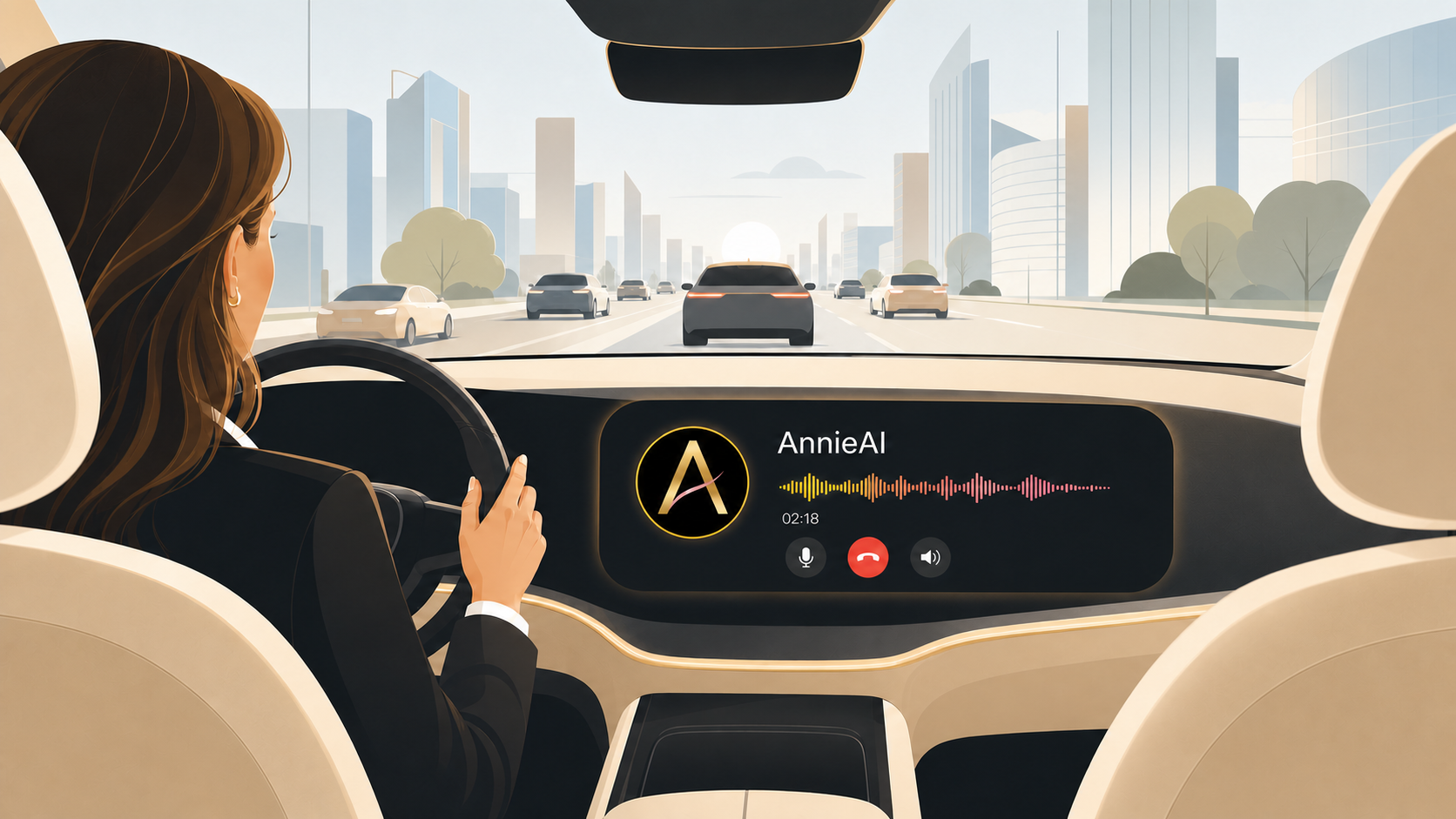
Prep your board or investor update
Talk through the quarter on a drive home. Annie turns the voice memo into a real deck with the numbers already pulled.
- Turns a voice memo into a formatted deck
- Pulls metrics from your existing reports
- Anticipates the questions investors will ask
- Revises live while you review
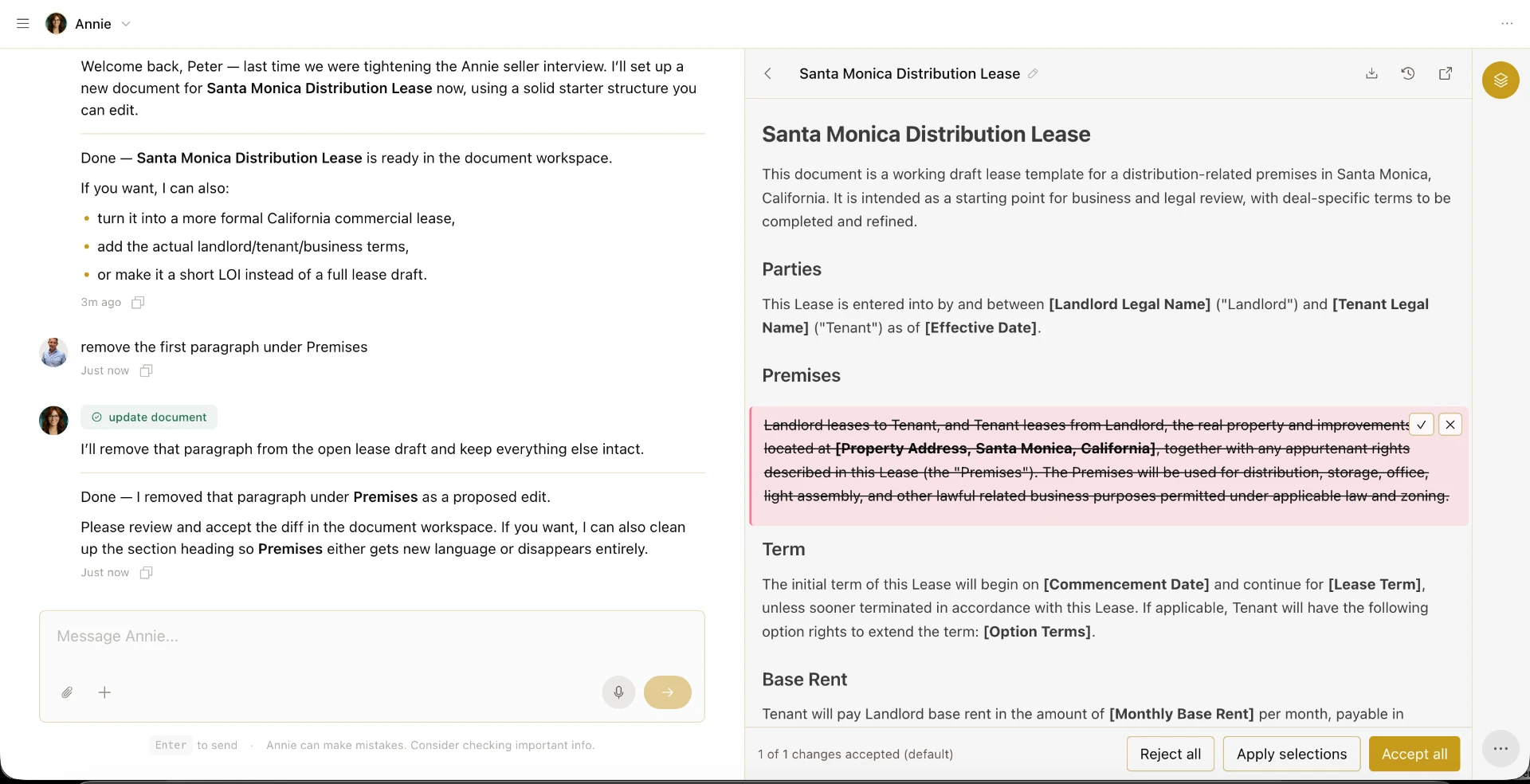
Review contracts before you sign
Send the PDF and get back plain-English risk, not a legal essay. Annie knows when something needs a real attorney.
- Flags risky or unusual clauses
- Redlines the document in real time
- Compares terms against your last deal
- Routes binding items to your counsel

Grab your coffee and start your day with a call to Annie
One call before the first meeting — the news, your competitors, your calendar, and the message your team needs from you.
- Summarize the news in your industry
- Research the web for announcements from your competitors
- Check your calendar
- Have her send a text or email to your team, as a group
Pricing
Two ways to hire Annie.
Start with the level of support you need. Move up whenever the work grows.
Hire Annie Today.
First 7 days on us$99/month
Takes Just 3-Minutes to start! Click Hire Annie, then choose to create a new account. She'll guide you from there!
- Full access to every core skill
- Reach her by text, email, phone, or Slack
- Remembers your business and your people
- One flat monthly rate, no surprises
- Weekly tips and practical techniques from Annie to help you get more value from every capability
- Annie's vCard for your phone—so calling, texting, and emailing her is always one tap away
- Fast, intelligent support: Annie resolves most questions immediately and seamlessly routes anything more complex to our support team
Includes 100,000 tokens each month. Your first 7 days are free — cancel before they end and you won't be charged.
Your AI Executive Partner
Limited seats$500/month
For owners who want Annie fully embedded — shaped to how they work, connected to their tools, handling everything without a meter running.
- Everything in Your AI Assistant, without limits
- Priority response across every channel
- Shaped to your personality and working style
- Integrated into your tools, SOPs, and data
- Rate locked for 24 months
- First access to new skills as they ship
- Invitation-only AI workshops for your team
- Additional team members only $45/month
Unlimited fair use, rate locked for 24 months. A limited number of seats are available at this rate. Your first 7 days are free — cancel before they end and you won't be charged.
Onboarding
Live in minutes. Not a project.
Create the account
Takes less than a minute. Annie will walk you through a few questions.
Connect your services
Link calendar, inbox, docs, and the tools you already run on. Grant only what you want, and revoke access any time.
Start working with her
Text, email, or call. Tell her what's on your plate and she starts closing things out the same day.
Compare
How Annie compares
Pick a product to see how Annie stacks up.
Select a product to view the comparison.
Questions Owners Actually Ask
Before you meet Annie.
Annie is an AI-powered strategic partner and assistant for business owners and executives. Practically, she's someone you text, email, or call to hand off real work — scheduling, documents, decks, contract review, follow-up — and she comes back with it done.
While Annie has a web interface with many features such as live document editing, conversation storage, document (images, presentations, PDF storage), her human-natural channels are often primary contact points for Annie.
She holds natural phone conversations, remembers your business and the people in it without being reminded, picks up a thread on a different channel exactly where you left it, and reads tone and urgency well enough to know when to just handle something and when to check with you.
Your information is handled on a need-to-know basis and is never used to train models. Sensitive actions require your explicit approval, access can be revoked instantly, and you have a named point of contact on our team who stays consistent.
She works either way. Some owners hire Annie instead of a first assistant; others put her alongside a team that's already stretched, so the people you have stop spending their day on scheduling and recaps.
Under ten minutes. You send a first message, tell her what you do and what's on your plate, and she starts closing out tasks the same day. There's no implementation project.